

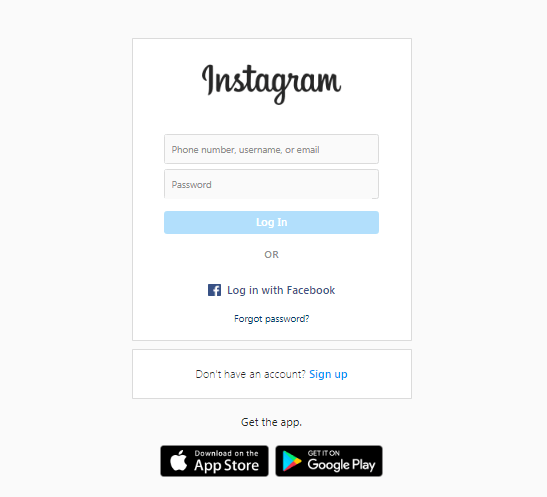
Logging into Instagram is a straightforward process, but users often require a deeper understanding of the platform, login troubleshooting, privacy concerns, and related tools. This comprehensive guide explores every aspect of the Instagram login process and includes detailed explanations, best practices, and commonly asked questions. Optimized for readers in the USA, this article also explores keywords such as anonymous Instagram, Instagram viewer, Instagram story viewer, download Instagram videos, and how to manage your account settings, including how to delete or deactivate Instagram.
ALSO READ: Everything You Need to Know About Facebook Login
What Is Instagram?
Instagram is a social media platform owned by Meta (formerly Facebook Inc.), allowing users to share photos, videos, and stories. It has grown into one of the world’s most popular social networking apps, especially in the USA, due to its visual format, influencer culture, and business tools.
Instagram Login Overview
To access your account, you need to log in through the official Instagram platform.
Instagram Login Link
You can log in directly using the official URL: https://www.instagram.com/accounts/login/
How to Login to Instagram
Step-by-Step Guide
-
Open Your Browser or App
ADVERTISEMENT-
Visit Instagram.com or open the Instagram app on Android/iOS.
-
-
Enter Your Credentials
-
Input your registered email address, phone number, or username.
-
Enter your password.
-
-
Click or Tap “Log In”
-
Hit the login button to access your feed.
-
-
Two-Factor Authentication (if enabled)
-
Enter the verification code sent to your phone/email.
-
-
Success
-
You are now logged into Instagram.
-
Instagram Login Troubleshooting
-
Forgot Password? Click on “Forgot password?” to reset via email or SMS.
-
Can’t Access Email/Phone? Use the Instagram support page.
-
Account Hacked? Go to Instagram Help Center to recover your account.
Anonymous Instagram and Privacy
What Is Anonymous Instagram?
Anonymous Instagram refers to the concept of viewing profiles or content without being logged in or revealing your identity.
Anonymous Instagram Viewer Tools
An anonymous Instagram viewer allows people to view public Instagram stories or posts without logging in. These third-party tools are popular for those who want to maintain privacy.
Note: These tools often violate Instagram’s terms of service and should be used cautiously.
Instagram Viewer Tools
What Is an Instagram Viewer?
An Instagram viewer is a tool that allows users to browse Instagram content. Some offer additional functionalities like story viewing, downloading videos, or checking profile statistics.
Instagram Story Viewer
An Instagram story viewer tool enables users to view Instagram stories, sometimes anonymously. While Instagram does not officially support anonymous viewing, third-party platforms attempt to fill this demand.
Use-Cases
-
Checking competitor stories
-
Viewing stories without appearing on the view list
Download Instagram Videos
Tools and Methods
-
Online Instagram Video Downloader
-
Mobile Applications (Android/iOS)
-
Browser Extensions
Instagram prohibits downloading videos without consent. Always respect copyright and privacy laws.
Instagram Story Downloader
An Instagram story downloader allows users to download Instagram stories for offline viewing. These tools are commonly used by marketers and researchers.
View Instagram Stories
To view Instagram stories:
-
Log in to your account.
-
Tap on the user’s profile picture at the top of your feed.
-
Stories will play automatically.
Anonymous Viewing
To view stories anonymously, you would have to use external apps or switch to airplane mode after the story has loaded (a trick, but not foolproof).
Instagram Video Downloader
An Instagram video downloader allows users to save IGTV, reels, or feed videos. Many tools offer both browser-based and app-based options.
How to Delete Instagram Account
Steps to Permanently Delete
-
Go to the Delete Your Account page.
-
Log in to your account.
-
Select a reason for deletion.
-
Enter your password again.
-
Click “Permanently delete my account.”
Things to Know
-
Deletion is irreversible.
-
All data will be lost.
How to Deactivate Instagram
Temporarily Disabling Your Account
-
Log in at Instagram.com on a browser.
-
Click your profile picture > Settings.
-
Click “Edit Profile.”
-
Scroll to “Temporarily disable my account.”
-
Select a reason and re-enter your password.
-
Click “Temporarily Disable Account.”
Note: You can reactivate anytime by logging back in.
Instagram Logo and App
The Iconic Instagram Logo
The Instagram logo is a camera-shaped icon that has evolved over the years, symbolizing creativity and connection.
Instagram App
Available on:
-
Android: via Google Play
-
iOS: via App Store
Features:
-
Posting photos/videos
-
Stories & Reels
-
Direct Messages
-
Instagram Shopping
Instagram Lite and Facebook Integration
Instagram Lite is a simplified version of the app for users with limited data or storage.
Facebook Integration: Use your Facebook account to log in or sync contacts and posts.
Instagram with Login: What You Can Access
Once logged in, you can:
-
View and post content
-
Engage with followers
-
Send direct messages
-
Access analytics (for business accounts)
FAQs About Instagram Login
What is the official Instagram login link?
https://www.instagram.com/accounts/login/
How can I recover my Instagram password?
Use the “Forgot password?” link on the login page.
Is it safe to use anonymous Instagram viewers?
No. They often breach Instagram’s terms and can compromise your data.
Can I use Instagram without the app?
Yes, via a web browser at Instagram.com.
How can I download videos from Instagram?
Use a verified Instagram video downloader, but ensure you have permission.
What’s the difference between delete and deactivate?
Deleting is permanent. Deactivating is temporary.
Conclusion On Instagram Login
Whether you are a casual user, a business owner, or someone exploring Instagram anonymously, understanding the Instagram login process and related tools can enhance your experience. This guide provides a comprehensive roadmap to navigate Instagram’s features, tools, and privacy options responsibly. From learning how to log in and download content to managing your account settings, everything you need is at your fingertips.
For official login access, always use the secure link: https://www.instagram.com/accounts/login/
Stay informed, stay secure, and make the most of your Instagram journey.


