• About Us
  • Advertise With Us
  • Contact Us
Friday, December 12, 2025
Quick Read Magazine
  • Home
  • News
  • Business
  • Finance
  • Entertainment
  • Jobs
  • Technology
No Result
View All Result
  • Home
  • News
  • Business
  • Finance
  • Entertainment
  • Jobs
  • Technology
No Result
View All Result
QuickRead.Co.Za
No Result
View All Result
  • Home
  • News
  • Business
  • Finance
  • Entertainment
  • Jobs
  • Technology

Home » Business » Upgrade to Windows 10 before it’s too late! Free IT Assessment through Digital Generation

Upgrade to Windows 10 before it’s too late! Free IT Assessment through Digital Generation

Eddy Chabalala by Eddy Chabalala
6 years ago
in Business, Software, Technology
Reading Time: 2 mins read
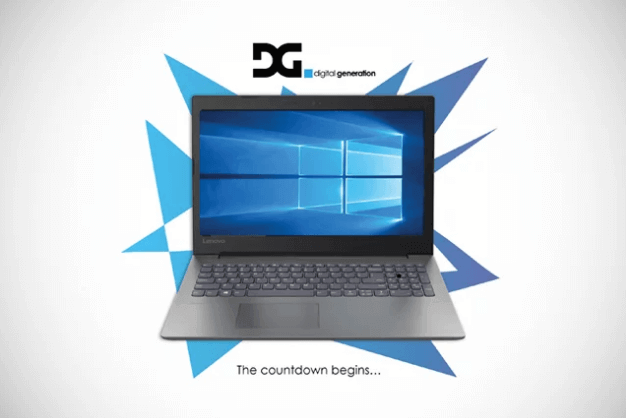
Digital Generation Windows 10 Upgrade
ADVERTISEMENT

If you or your employees are still using Windows 7, now is the time to migrate to Windows 10. The reason for this is because like all operating systems before it, Windows 7 is starting to reach the end of its lifecycle. This also means that it’s becoming more critical to upgrade in order to keep your information and data safe.

ALSO READ: How To Remove Noad VarianceTV Adware From Your PC Computer

For the last 3-4 years, new PCs have been shipped with Windows 10. Machines that have been bought prior to that are the only devices still in circulation running on Windows 7, as Microsoft has already ended mainstream support for Windows 7 at the start of 2015. Now, however, extended support is also coming to an end.

“New PCs have been made without the capability of loading older operating systems as a result of the newer Intel processors. So, every machine from Gen 7, Gen 8, and now Gen 9 CPUs won’t allow you to install Windows 7,” said Julian Pienaar, Pre-Sales and Product Technologist for Lenovo South Africa.

Transition to Windows 10

Support for Windows 7 will come to an end in January 2020. Machines that still run on Windows 7 will be unsecure, putting users’ information at risk, as Microsoft will no longer supply security patches and security updates for the older OS.

ADVERTISEMENT


The easiest way to upgrade to Windows 7 if you’re a home user is by installing the new version yourself. “Windows will probably let you know that your OS will soon be unsupported through a little icon which will appear in the bottom right-hand corner next to your time widget, which will suggest the upgrade to Windows 10. If you then click on it, it will download and install the software automatically,” said Pienaar.

For enterprises, however, the upgrade is a little more complicated, but thankfully, Lenovo and Digital Generation are offering migration to Windows 10.

The two companies offer a corporate-level migration plan, whereby users’ data will be backed up. The new version of Windows 10 is then deployed, and the users’ data, files, and email information are restored back onto users’ devices.


To find out more or to book your FREE IT ASSESSMENT, visit the DG website or contact [email protected].

Image Courtesy: Supplied 

Tags: Digital GenerationLenovoWindows 10
ShareTweetSend
ADVERTISEMENT
Previous Post

New series to stream on Showmax in South Africa this August

Next Post

SABC 3’s The Next Brand Ambassador Set To Inspire Young Entrepreneurs

Eddy Chabalala

Eddy Chabalala

Eddy Chabalala is the Editor and Publisher of Quick Read Magazine, a leading online publication in South Africa. With a background in copywriting, social media management, and public relations, Eddy has been with Quick Read since 2014 and has witnessed the magazine's growth over the years. He focuses primarily on entertainment, music, and movie reviews. Under Eddy's leadership, Quick Read covers a wide range of topics, including general news, technology, entertainment, celebrity news, sports, health, and finance, aiming to provide fresh and relevant content to its readers.

Related Posts

How to Download Google Chrome for Windows 10 in South Africa

How to Download Google Chrome for Windows 10 in South Africa

16 June 2025
How To Download and Install Netflix App on Windows 10

How To Download and Install Netflix App on Windows 10

31 July 2022
Next Post
The Next Brand Ambassador

SABC 3’s The Next Brand Ambassador Set To Inspire Young Entrepreneurs

Leave a Reply Cancel reply

Your email address will not be published. Required fields are marked *

Latest Posts

UK49s Teatime Predictions for Today South Africa

UK49s Teatime Predictions for Today: Friday, 12 December 2025

11 December 2025
UK49s Lunchtime Predictions for Today

UK49s Lunchtime Predictions for Today: Friday, 12 December 2025

11 December 2025
DPSA Circular 46 of 2025

DPSA Circular 46 of 2025: Government Job Opportunities In South Africa

11 December 2025
South Africa Powerball Predictions

South Africa Powerball Predictions for Friday, 12 December 2025

11 December 2025
Ithuba Daily Lotto Predictions

Daily Lotto and Daily Lotto Plus Predictions for Friday, 12 December 2025

11 December 2025
  • About Us
  • Contact Us
  • Advertise With Us
  • Privacy
  • Terms and conditions
Follow Us

QuickRead.Co.Za | All Rights Reserved

No Result
View All Result
  • About Us
  • Advertise With Us
  • Contact Us

QuickRead.Co.Za | All Rights Reserved