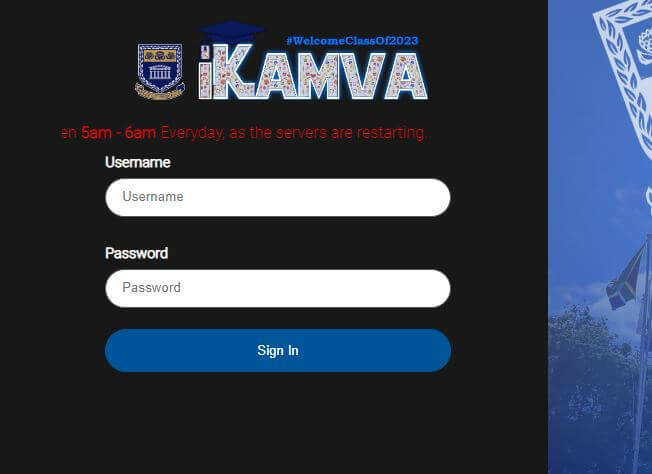
UWC iKamva Login, learn how to login to UWC iKamva portal in South Africa. iKamva is a learning management system (LMS) that is created by the University of the Western Cape (UWC) in South Africa. The platform is designed to provide a digital learning environment for students and staff at the university, with the aim of enhancing the quality and accessibility of education. The iKamva platform is based on the open-source Sakai LMS, which means that it can be customized and extended to meet the specific needs of different institutions and user groups. The platform is also designed to be user-friendly and accessible, with a simple and intuitive interface that can be used by students and staff with varying levels of technical expertise. In this article, you will learn how to access iKamva Login in South Africa and perform academic activities.
ALSO READ: UWC Student Portal: University of the Western Cape Student Portal Login
What is iKamva?
iKamva is an eLearning platform for the University of the Western Cape (UWC) students to access and perform academic activities. Students can login to iKamva UWC to access lecture materials for assessment, reflection and self-study purposes.
The UWC iKamva Platform also allow students to upload assignments and class tests for various modules.
The word “iKamva” means “future”, which refers to the way in which the social and technological developments are advancing and moving forward.
What is iKamva Login?
iKamva Login is the process of accessing the iKamva learning management system (LMS) at the University of the Western Cape (UWC) or other institutions that use the iKamva platform. In order to access the iKamva platform, users must have a valid username and password that has been issued to them by their institution.
Once a student has their iKamva login credentials, they can access the iKamva platform by visiting the iKamva login page here https://ikamva.uwc.ac.za/portal. Students will then be prompted to enter their username and password, which will be verified by the system before granting access to the iKamva student portal.
Once logged in, students will be able to access a range of features and tools within the iKamva portal, such as course materials, assignments, discussion forums, and communication tools. The specific features and tools available may vary depending on the user’s role and the specific courses they are enrolled in.
It is important to keep UWC iKamva login credentials secure and not share them with others, as this can lead to unauthorized access to sensitive information and potentially compromise the security of the iKamva platform. If users experience any issues with the iKamva login process, they should contact their institution’s IT department or support staff for assistance.
Why Would I Use UWC iKamva?
This is an online learning platform which accommodates various types of sites. Some of the are UWC Course sites and Project sites. The UWC course sites allow students to choose from a wide range of eTools such as eAssessment, content creation and communication. On the other hand, project sites, provide a central space for collecting and reflecting on project data by different community groups. For an overview of UWC iKamva eTools, click on ‘eTools’ in the navigation bar.
How To Login To UWC iKamva?
How do I login to iKamva in South Africa? iKamva makes use of the Novell Username and Password for authenticating student and staff login. The platform is accessible on tablets, cellphones, laptops and computers. Here’s how to login to iKamva UWC if you are a registered student.
- Step 1: Visit iKamva at https://ikamva.uwc.ac.za/portal
- Step 2: Enter your username (Student Number) and password
- Step 3: Click “Sign In” to login
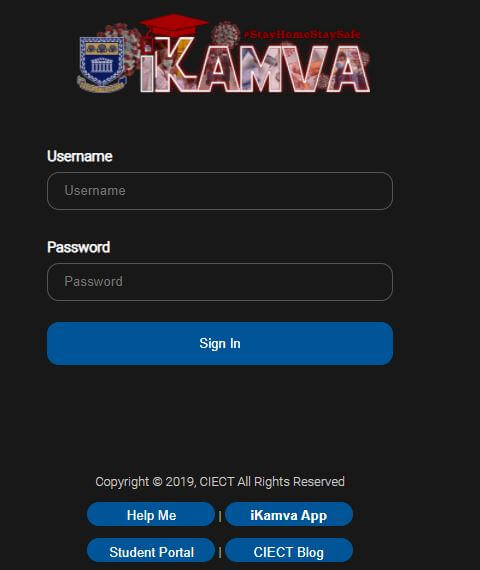
Please note that if you are not a registered UWC student as yet, you will receive your iKamva login details by email.
Once you’ve signed in, you will see the Home tab on your screen displaying the Message of the Day, the calendar and News section.
In your top right corner, you will see your modules under the Sites tab.
How To Use UWC’s iKamva?
Here is a general guide on how to use UWC’s iKamva platform:
- Login: To access iKamva, log in using your UWC student or staff number and password. You can access the iKamva login page through the university’s website or by entering the direct URL.
- Navigate to your courses: Once logged in, you will be directed to the iKamva dashboard. From there, you can navigate to your courses by selecting the “My Workspace” tab and then selecting the course you want to access.
- View course materials: Within each course, you will be able to access a range of course materials such as lecture notes, readings, and multimedia resources. You can access these materials by selecting the relevant link or file.
- Engage in discussions: Many courses on iKamva include discussion forums, which allow students and instructors to communicate with each other and share ideas. To participate in a discussion forum, simply select the forum and then post your response.
- Submit assignments: You can submit assignments through iKamva by selecting the relevant assignment and then uploading your completed work. Some courses may require you to submit your assignments through other means, such as email or in-person.
- Check grades and feedback: You can check your grades and feedback for assignments and other course activities within the iKamva platform. To view your grades and feedback, select the relevant activity and then view the feedback provided by your instructor.
- Use additional tools: In addition to the core features listed above, iKamva also offers a range of additional tools and features such as quizzes, surveys, and live chat. These tools can be accessed through the iKamva dashboard or within individual courses.
Overall, iKamva is designed to be user-friendly and intuitive, with a range of features and tools that can help enhance your learning experience. If you have any questions or need assistance using the platform, you can contact your instructor or the university’s IT support team for help.
UWC iKamva Features
The platform comes with lots of features. If you click on any module the following options should appear:
- Overview
- Announcements
- Course Resources
- Discussion Forums
- Assignments
- Tests & Quizzes
- Site Info
iKamva App
The iKamva Apk is also available for downloads. Students can download the Android app so that they can access and view their modules from anytime and anywhere.
This first beta release of the iKamva app allows students to access their courses directly from their Android mobile devices.
The iKamva Apk includes some of the below main features:
- iKamva Access
- Campus Map
- Emergency Call
- UWC Directories
Note: iKamva is UNAVAILABLE between 5am – 6am Everyday, as the servers are restarting.
UWC iKamva Login FAQs
Here are some frequently asked questions about the UWC iKamva login process:
How do I access the UWC iKamva login page?
The UWC iKamva login page can be accessed through the university’s website or by entering the iKamva login URL directly into your web browser.
What are my login credentials for UWC iKamva?
Your login credentials for UWC iKamva are typically your student or staff ID number, as well as a password that has been issued to you by the university. If you have forgotten your password or are having trouble logging in, you should contact the university’s IT department or support staff for assistance.
Can I access UWC iKamva from my mobile device?
Yes, UWC iKamva can be accessed from a mobile device using a web browser or through the iKamva app, which is available for iOS and Android devices.
What should I do if I am unable to log in to UWC iKamva?
If you are having trouble logging in to UWC iKamva, you should contact the university’s IT department or support staff for assistance. They will be able to help you troubleshoot the issue and regain access to the platform.
How can I change my UWC iKamva password?
You can change your UWC iKamva password by logging in to the platform and navigating to the “Account Settings” section of your profile. From there, you can update your password and save the changes.
Is my UWC iKamva login information secure?
UWC iKamva takes security very seriously and employs a range of measures to protect user login information and data. However, it is important to keep your login credentials secure and not share them with others to help ensure the security of the platform.
Watch the below UWC iKamva Login procedure video
Image Courtesy: www.waldenu.edu