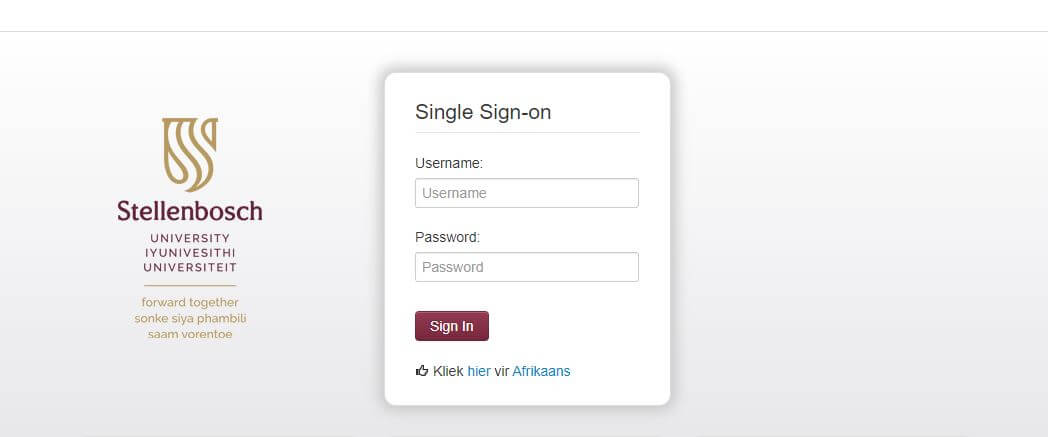
SUNLearn is the learning management system of Stellenbosch University in South Africa. It is an online platform that provides students with access to course materials, online assessments, and other resources necessary for academic success. SUNLearn Login refers to the process of accessing this platform, which is available to all registered students of the university. Through SUNLearn, students can communicate with their lecturers, participate in online discussions, and access learning resources from anywhere in the world. The platform is user-friendly and accessible from any internet-connected device, making it a convenient option for distance learning and remote studying. This article will provide a step-by-step guide on how to log in to SUNLearn and access the resources available on the platform.
What Is SUNLearn?
SUNLearn is the official learning management system (LMS) of Stellenbosch University in South Africa. It is a web-based platform that provides students and lecturers with access to course materials, online assessments, communication tools, and other resources that support teaching and learning. SUNLearn is designed to enhance the academic experience of students by providing a centralized location for course materials, class schedules, and online collaboration with peers and lecturers. The platform is user-friendly and accessible from any internet-connected device, making it a convenient option for distance learning and remote studying. With SUNLearn, students can track their academic progress, interact with course content, and participate in discussions with their peers, all in one place. Overall, SUNLearn is an essential tool that supports teaching and learning at Stellenbosch University, providing students and lecturers with a comprehensive and effective platform for academic success.
How To Access SUNLearn?
To access SUNLearn, you need to follow these steps:
- Open your web browser and go to the Stellenbosch University website (www.sun.ac.za).
- Click on “My.SUN”
- Click on the “SUNLearn” link located at the top right-hand corner of the page.
- You will be redirected to the SUNLearn login page. Enter your username and password in the fields provided. Your username is usually your student number, and your password is the same one used to access your student email account.
- Once you have entered your login details, click the “Login” button.
- You will be taken to the SUNLearn dashboard, where you can access your courses, assignments, and other resources.
If you are a new student and do not have a SUNLearn account yet, you will need to activate your account first. To do this, go to the SUNLearn login page and click on the “Activate” button. Follow the instructions provided to activate your account and create a username and password. Once your account is activated, you can log in and access your courses and other resources.
How To Reset SUNLearn Password?
To reset your SUNLearn password, you need to follow these steps:
- Go to the SUNLearn login page and click on the “Forgot Password” link located under the login form.
- You will be redirected to a password reset page. Enter your username or email address associated with your SUNLearn account, and click the “Submit” button.
- Follow the instructions provided in the email you receive. You will be asked to create a new password. Make sure to create a strong and unique password, and avoid using the same password for multiple accounts.
- Once you have created your new password, go back to the SUNLearn login page and enter your username and new password to access your account.
If you have any issues resetting your password, you can contact the Stellenbosch University IT Helpdesk for assistance.
Conclusion
SUNLearn is an important platform for students and lecturers at Stellenbosch University in South Africa. It provides a user-friendly and accessible online platform for teaching, learning, and collaboration. By accessing SUNLearn, students can access their course materials, class schedules, and online assessments, and communicate with their peers and lecturers in one central location. The platform is easy to navigate, and its accessibility from any internet-connected device makes it a convenient option for distance learning and remote studying. With SUNLearn, Stellenbosch University students and lecturers can easily track their academic progress, participate in online discussions, and access other important resources. Overall, SUNLearn is an essential tool that supports academic success and provides a comprehensive online learning experience.
Image Courtesy: https://learn.sun.ac.za/