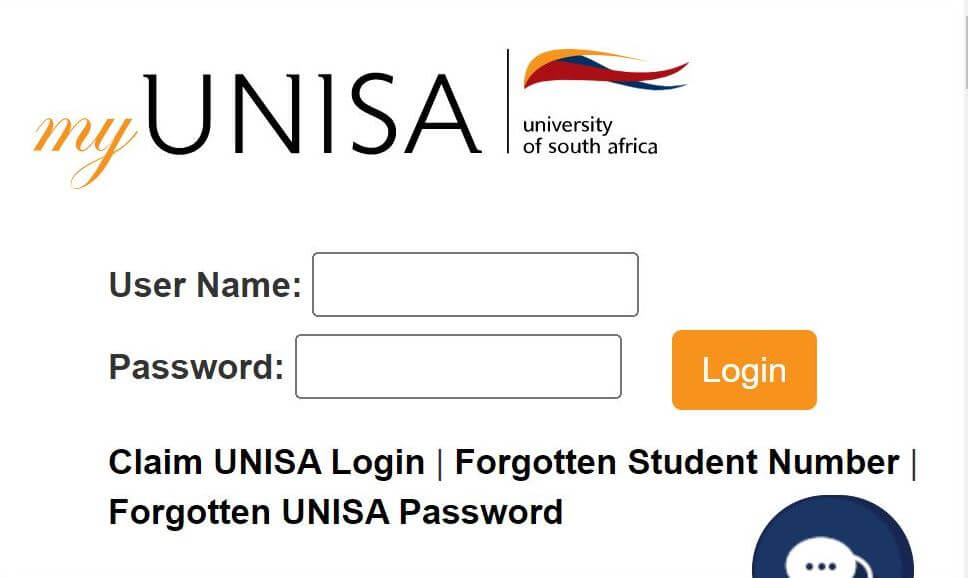
myUnisa online student portal is a vital portal for University of South Africa Students. Unisa login enables you to have access to your account, register for courses, assignments, and have access to your student email.
To learn how to register, create and log in to myUnisa and myLife email, read on.
How to log into myUnisa
To access your myUnisa account,
- Navigate to unisa.ac.za/sites/myunisa.
- Enter your Unisa username.
- Enter your password.
- Then, click ‘Login’ to access your admin dashboard.
If you can’t log into your account, it is likely you may have entered invalid credentials. Enter the correct username and password to avoid invalid credentials messages. For help on your account login problems, contact via [email protected], [email protected], and 012 429 3111.
How to login to myLife email
All Unisa students are required to have the myLife email account since important information is posted on the account. The account is free to open and uses the Microsoft Office 365 platform. Your Unisa student email address looks like this [email protected].
To access your myLife email account,
- Navigate to mylife.unisa.ac.za.
- Enter your Unisa username and click Next.
- Enter your password, and click ‘Login’.
- myLife uses the Microsoft platform, so you’ll see a Microsoft login – this is the right login page.
If you’re a new student, you need to first register for a myLife account using the steps below. It can take up to 24 hours after registering before your myLife email will work.
How to register and claim your Unisa account
To claim your Unisa account as a new student,
- Visit the student portal.
- Click the “Claim Unisa Login” button at the top-right of the screen.
- Type your student number into the box and click ‘Continue’. If you don’t know what your student number is, you can find it on your Unisa Acceptance Letter or on most official Unisa documents. If you have not yet been accepted to Unisa, read this article on how to apply to Unisa.
- Fill in your personal information into the form. You will need your South African ID number or Foreign ID/Passport number to complete this section.
- Read the Terms and Conditions, check the boxes, and click ‘Acknowledge’.
- Voila! You’re in. You’ll notice that you will be given an initial password, which you can change whenever you want. This will be your password to access both your myUnisa account and your myLife email account. You will also see your Unisa email address, which you will use throughout your time at UNISA.
If you have any challenge with your account, watch this video below on troubleshooting guide for myUnisa and myLife.
How to Change your Unisa password
Don’t forget to change your initial password to something that is both secure and which you will remember. You should also try this if your myLife email account is not working more than 24 hours after you registered.
- Log in to your myUnisa account.
- Navigate to ‘My Admin’.
- Click ‘change password’ and follow the prompts.
Ensure you keep my Life UNISA account credentials safe. You need this to do Unisa registration and submit Unisa assignments.
Unisa application status: How to check
When you apply to study at Unisa, the verification of the application takes some time. You may only receive feedback from Unisa six to eight weeks after the closing date for applications.
However, if you want to check your Unisa application status, here’s how.
- Visit myadmin.unisa.ac.za/unisa-studentstatus/
- Enter your Student Number
- Surname
- Full first names
- Date of birth
- Finally, click the “Continue” button.
How to access study material on myunisa
Accessing and downloading your study material from myUnisa is easy to do. Just follow these steps:
- Go to my.unisa.ac.za and log in with your student number and password.
- Click on the myModules tab/link at the top of the screen.
- Then click on “Sites” (next to where your name is displayed on the top right of the screen).
- Now click on the star next to the module’s name. The star will turn orange. Close the site’s screen.
- You will see a message stating, “Reload to see your updated favorite sites.” Click on “Reload.”
- Your selected modules will now appear in the top navigation.
- Now click on one of your module codes (e.g., ICT3621) and then on “Official study material” in the left-hand navigation panel. The PDF versions of the available study material for that module will display.
Download your study material to a PC/laptop/tablet and not a phone.
Features of myUnisa admin
MyUnisa admin is your Unisa login dashboard. It gives you access to;
- Study materials
- unisa registration
- myunisa assignments
- Announcements
- Unisa financial status
- unisa exam results
- Exam timetable
Frequently asked questions
How do I access myLife at Unisa?
To access your my Life email account, follow these steps:
- Go to the mylife.unisa.ac.za/
- Enter your full e-mail address (eg [email protected]) and your password for your e-mail account.
- Select “Sign in“.
- Then click “sign out” after you’re done with everything. Remember to sign out of both accounts. Do not just close the windows.
How do I log into Unisa?
Here’s how to access myUnisa
- Visit unisa student portal via my.unisa.ac.za/portal/xlogin
- On the upper-right corner of your screen, enter your username and password
- Click on “Login”
How do I check my Unisa exam results?
Log in to myUNISA website, click into My Admin, and then enter Exam analyses. You will receive your examination results via your student email after they are ready. Your examination analyses will be sent through printed copies.
Where can I find my Unisa student number?
If you have lost your student number, or can’t remember it, visit my.unisa.ac.za/ and click on “Forgotten Student Number?” in the left navigation bar. Submit your details to search for your student number.
What is Unisa login required?
Unisa login required is a Unisa login page that can be accessed via mymodules.unisa.ac.za/portal/xlogin. Enter your user ID and password to log into your course modules.