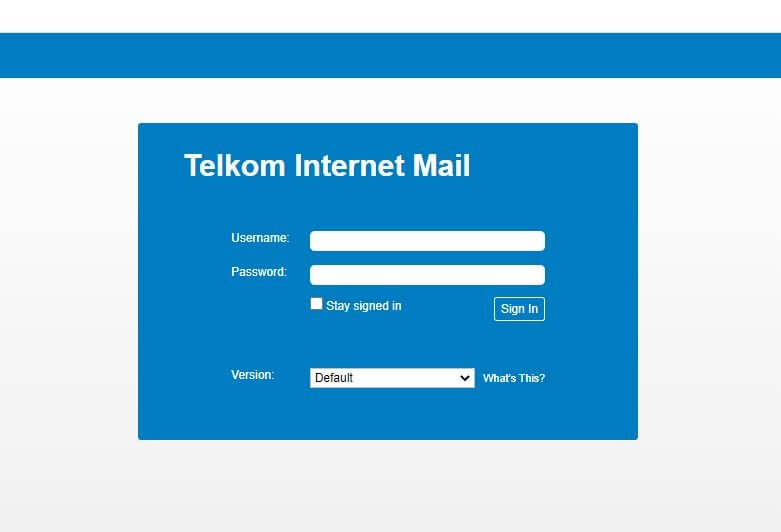
Telkom Webmail is a free email service offered to Telkom Internet customers in South Africa. It allows you to access your email account through a web browser on any device. In this article, you will learn how to setup a Telkom Internet Mail in South Africa.
ALSO READ: How To Fix Telkom Webmail Not Working In South Africa
What Is Telkom Webmail?
Telkom Webmail is an email service provided by Telkom, a telecommunications company based in South Africa. It allows Telkom customers to create and use email accounts with a “@telkomsa.net” domain. Telkom Webmail offers features typical of email services, such as sending and receiving emails, managing contacts, organizing messages into folders, and accessing email accounts through web browsers or email clients.
Users can access Telkom Webmail through the Telkom website or by using email client software such as Microsoft Outlook or Mozilla Thunderbird. Telkom Webmail provides a convenient way for Telkom customers to communicate via email and access their emails from various devices with internet connectivity.
What Is Telkom Internet Email?
Telkom Internet Email refers to the email address and email service you get as part of your Telkom Internet subscription in South Africa.
Here’s a breakdown of Telkom Internet Email:
- Email address: This will typically end with “@telkom.co.za” or “@telkomsa.net”. You’ll receive emails at this address.
- Email service: This is the Telkom Webmail platform that lets you access, manage, and send/receive emails from your Telkom Internet Email address. You can access Telkom Webmail through a web browser.
In simpler terms, Telkom Internet Email is a combination of your email address and the webmail service you use to manage it, both provided by Telkom as part of your internet plan.
How Does Telkom Webmail Work?
Telkom Webmail works by providing a web interface for you to manage your Telkom Internet Email account. Here’s a breakdown of the process:
- Servers: Telkom stores your emails on their servers. This allows you to access them from any device with an internet connection.
- Web Interface: Telkom Webmail is a website that acts as a user interface for your email account. You access it through a web browser on your computer, phone, or tablet.
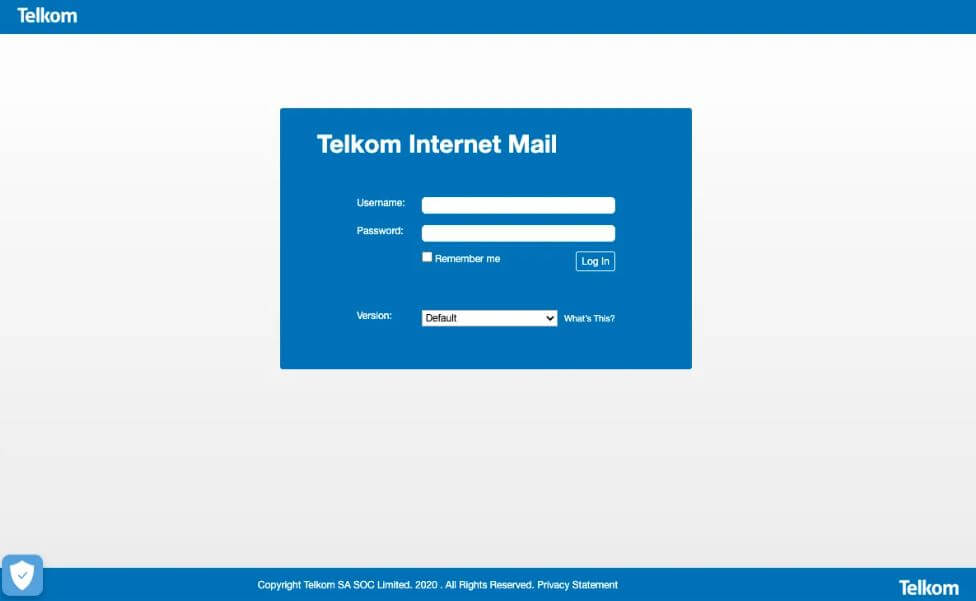
- Login: When you log in to Telkom Webmail, you enter your Telkom Internet Email address and password. This authenticates you and grants access to your email account.
- Management: Once logged in, you can see a list of your emails, including received, sent, and drafts. You can perform various actions like:
- Reading emails
- Composing and sending new emails
- Replying to emails
- Forwarding emails
- Organizing emails with folders and labels
- Deleting emails
Telkom Webmail likely uses protocols like IMAP (for storing and managing emails on the server) and SMTP (for sending emails through Telkom’s servers). However, you typically don’t need to worry about these technical details as the web interface handles them for you.
How to Set Up Telkom Internet Email
Setting up a custom email address and registering for the service can be quite simple. However, for added clarity, we’ve provided brief step-by-step instructions on configuring the Telkom internet mail service on both computers and mobile devices. You can find these guides below.
Setting up Telkom Internet Email on Your Phone
Setting up Telkom Internet Mail on Your Computer
To set up Telkom Internet Mail on your Windows PC using the Windows Live Mail app, follow these steps:
- Open the Windows Live Mail app on your PC.
- Go to Accounts > Email, then add your email account credentials and a display name, and click Next.
- Follow the setup process and choose manual server settings configuration, then click Next.
- Select POP3 and enter “pop3.Telkom.co.za”.
- For SMTP settings, enter “smtp.Telkom.co.za”.
- Click Next, then Finish to complete the setup process.
That’s all you need to do on your PC. You should now be able to access your Telkom Internet Email account through the Windows Live Mail app.
How to Login to Your Telkom Internet Email Account
To log in to your Telkom Internet Email account, you can follow these steps:
- Go to the Telkom internet email login page using your preferred web browser.
- Enter the email address associated with your Telkom account. This email address typically ends with “@telkomsa.net,” but it may vary depending on your account setup.
- Enter the password you selected during the account registration process.
That’s all it takes to login to your Telkom Internet Email account. Once logged in, you can start composing emails and connecting with your contacts.
Main Issues With Telkom Webmail And How to Fix Them
Several common issues may arise when using Telkom Webmail, and here are some potential solutions:
- Login Problems:
- Issue: Difficulty logging in due to incorrect credentials or forgotten password.
- Solution: Double-check your email address and password for accuracy. If you’ve forgotten your password, use the “Forgot Password” option to reset it. Ensure that your internet connection is stable.
- Email Delivery Issues:
- Issue: Emails not being received or sent successfully.
- Solution: Check your internet connection and ensure that you have a stable connection. Verify that the recipient’s email address is correct and not blocked. Clear your browser’s cache and cookies, or try accessing Telkom Webmail from a different browser.
- Email Syncing Problems:
- Issue: Emails not syncing across devices or between Telkom Webmail and email clients.
- Solution: Make sure that IMAP or POP settings are configured correctly in your email client. Check if there are any server outages or maintenance announcements from Telkom. Ensure that your email client software is up-to-date.
- Attachment Issues:
- Issue: Unable to send or receive email attachments.
- Solution: Ensure that the file size of the attachment does not exceed the maximum allowed by Telkom Webmail. Check if the file type is supported. If sending large files, consider using cloud storage services and sharing links instead.
- Spam or Junk Mail:
- Issue: Receiving an excessive amount of spam or junk emails.
- Solution: Adjust your spam filter settings within Telkom Webmail to mark certain emails as spam or whitelist trusted senders. Be cautious when providing your email address online to minimize the risk of receiving spam.
- Account Security Concerns:
- Issue: Suspicious activity on your Telkom Webmail account or concerns about account security.
- Solution: Change your password regularly and use a strong, unique password. Enable two-factor authentication if available. Monitor your account activity for any unauthorized access and report any security concerns to Telkom support.
If you encounter persistent issues with Telkom Webmail despite attempting these solutions, it’s advisable to contact Telkom’s customer support for further assistance and troubleshooting.
Conclusion
In conclusion, while Telkom Webmail provides a convenient platform for email communication, users may encounter various issues ranging from login problems to email delivery issues and attachment problems. By following troubleshooting steps such as double-checking login credentials, ensuring stable internet connections, configuring email client settings correctly, and adjusting spam filters, many common issues can be resolved. However, if problems persist, contacting Telkom’s customer support for assistance is recommended to ensure a smooth and efficient email experience.
Image Courtesy: Telkom