Blackboard Learn UFS is an online learning platform offered by the University of the Free State (UFS) in South Africa. It’s a place where students can find course materials, participate in activities, and take assessments. In this article, you will learn more about the UFS Blackboard Learn and how to login.
What Is Blackboard Learn UFS?
Blackboard Learn UFS is the learning management system used by the University of the Free State (UFS) in South Africa for online courses and resources. It’s basically a platform where instructors can upload course materials, assignments, quizzes, discussion forums, and more. Students can access these materials, submit assignments, take quizzes, and interact with instructors and classmates through Blackboard Learn UFS.
UFS Blackboard Learn Offers
Here’s a summary of what Blackboard Learn UFS offers:
- Course materials: Access lecture notes, presentations, assignments, and other resources provided by instructors.
- Assignments and quizzes: Submit assignments electronically, take online quizzes, and track your grades.
- Communication tools: Participate in discussion forums, collaborate with classmates on group projects, and communicate with instructors.
- Online assessments: Take exams and quizzes online.
If you’re a student at UFS, you can access UFS Blackboard Learn using your UFS campus username and password. Here are some resources that you might find helpful:
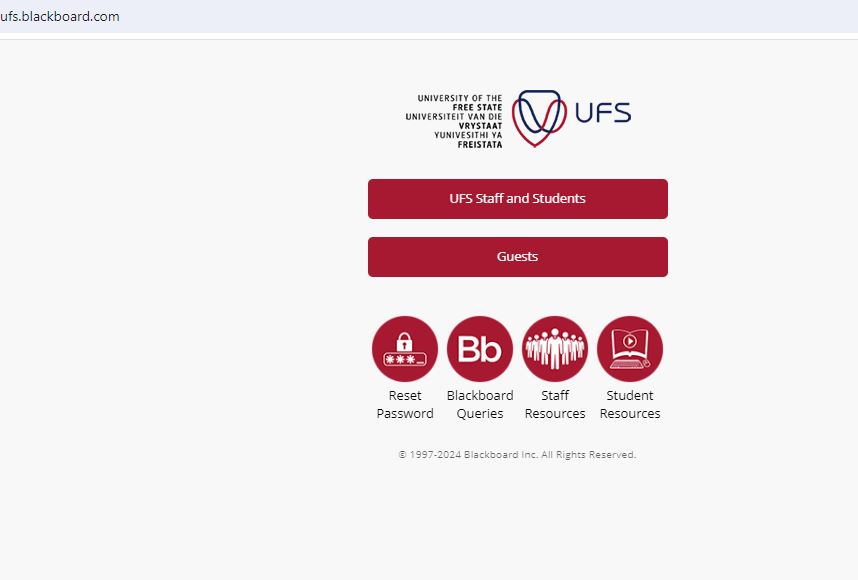
- UFS login page with Blackboard icon: https://ufs.blackboard.com/
- Information about Blackboard on the UFS website: https://www.ufs.ac.za/supportservices/departments/student-academic-services-ufs/faq/my-blackboard
Blackboard Learn UFS Login
The Blackboard Learn UFS Login is the process you go through to access the University of the Free State’s online learning platform. It’s like a digital doorway that grants you entry to your courses, materials, and assessments.
How To Login To Blackboard Learn UFS
Here’s how to login to UFS Blackboard Learn.
- Go to https://ufs.blackboard.com/
- Click on “UFS Staff and Students”
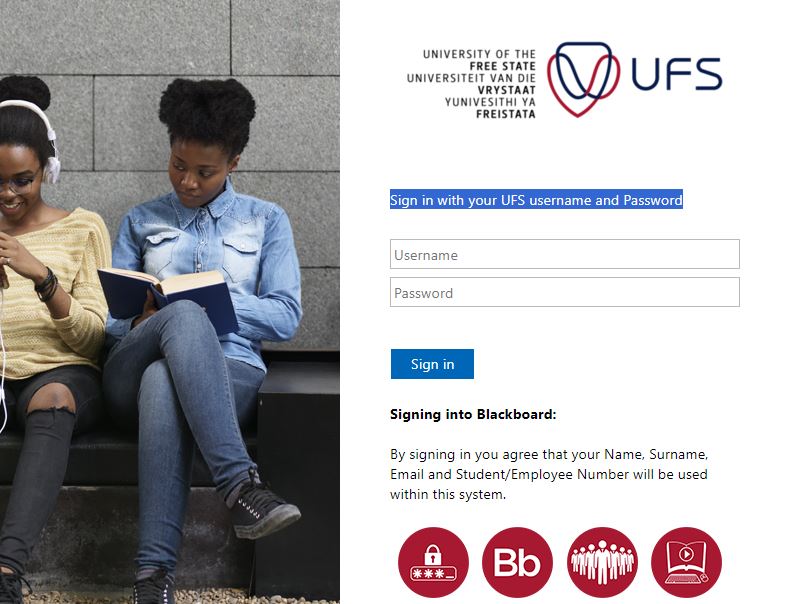
- Sign in with your UFS username and Password
- Enter your username and password
- Click on “Sign In”
UFS Blackboard Learn Features
Blackboard Learn UFS offers a variety of features to support both students and instructors in the online learning environment. Here’s a breakdown of some key features for students:
- Course Content: View syllabuses, lecture notes, presentations, videos, and other resources shared by your instructors.
- Organized Content: Courses are typically structured with modules and folders, making it easy to find what you need.
- Discussions: Participate in online discussions with classmates and instructors to ask questions, share ideas, and engage in course-related topics.
- Groups: Collaborate with classmates on group projects or assignments through online group workspaces.
- Assignments: Submit assignments electronically through the platform, often with rubrics for clarity on grading expectations.
- Tests and Quizzes: Take online tests and quizzes presented by instructors, and receive feedback on your performance.
- Grades: View your grades for assignments, quizzes, and overall course performance.
- Blackboard App: Access course materials, participate in discussions, and view grades on the go with the Blackboard mobile app for Android and iOS devices.
- Activity Stream: The Blackboard homepage provides a personalized activity stream highlighting upcoming deadlines, new course materials, and other relevant information.
- Calendar: Keep track of important dates and deadlines within the Blackboard calendar tool.
Blackboard Learn UFS FAQs
Here are some Frequently Asked Questions (FAQs) about Blackboard Learn UFS:
What is Blackboard Learn UFS?
Blackboard Learn UFS is the University of the Free State’s online learning platform. Here you can access course materials, participate in discussions and activities, submit assignments, take quizzes, and view grades.
How do I access UFS Blackboard Learn?
You can’t access the login page directly through this conversation due to security reasons. However, you can find the login page on the University of the Free State (UFS) website.
What do I need to log in to Blackboard Learn UFS?
You will need your UFS student number (username) and password (same as your KovsieLife password).
I can’t remember my password. What should I do?
You can reset your password through the UFS Student Self-Service section: https://www.ufs.ac.za/kovsielife/student-self-service
I’m having trouble logging in. Who can I contact for help?
If you’re facing issues logging in, contact the Blackboard Help Desk:
-
- Phone: +27 51 401 9111 (option 5)
- Email: [email protected]
How do I find my course materials on UFS Blackboard Learn?
Once logged in, your Blackboard homepage will display your enrolled courses. Click on a specific course to access its materials, assignments, discussions, etc.
How do I submit assignments on Blackboard Learn UFS?
Your instructors will provide specific instructions on submitting assignments within each course. Generally, you’ll find an “Assignments” section where you can upload your work.
Can I access Blackboard Learn UFS on my phone or tablet?
Yes, you can access UFS Blackboard Learn through the Blackboard mobile app available on Android and iOS devices.
Conclusion
UFS Blackboard Learn is a valuable tool for UFS students, providing a central online hub for your courses. Access the Blackboard Learn UFS login page securely. Login using your UFS student number and password. Find your course materials, assignments, and grades
Image Courtesy: https://ufs.blackboard.com/